Why a Stockout Wrecks Your Amazon PPC Numbers
Running out of stock stops your ads automatically. The expensive part is what it does to every average you look at afterwards, and the decisions made from them.
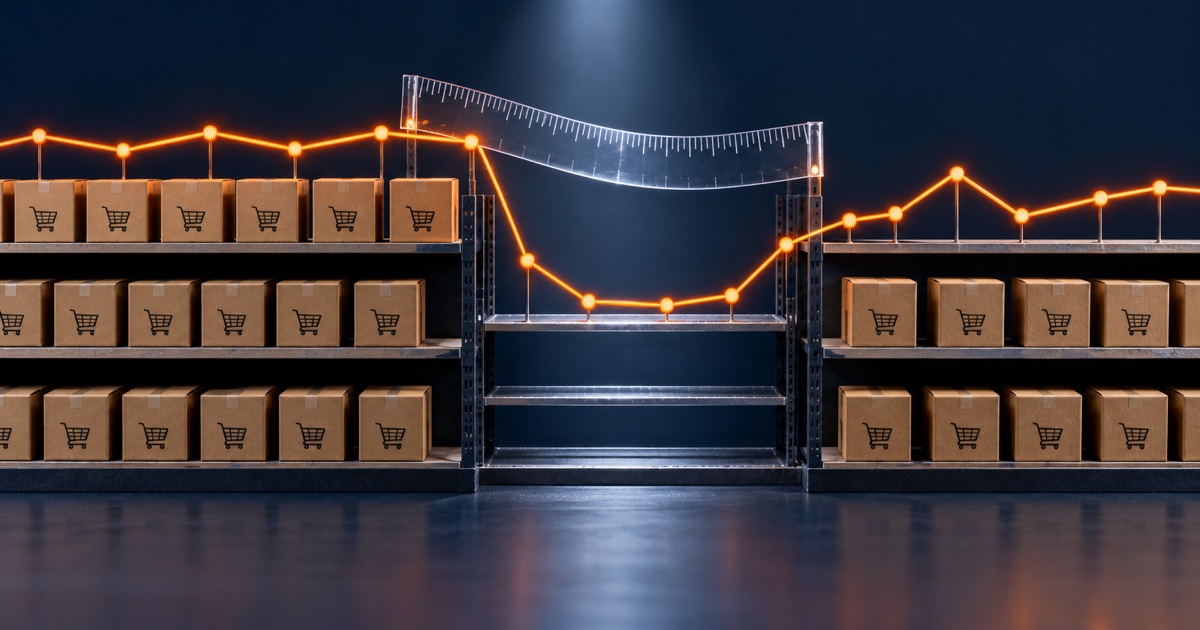
When an ASIN goes out of stock, your Sponsored Products ads stop serving on their own. You don't pause anything. Sponsored Products can only show when your offer is the Featured Offer, and an unbuyable offer isn't the Featured Offer, so delivery simply stops. Amazon says as much: ads stop serving when the product is no longer available to purchase.
Most sellers know this and think of it as a mercy. At least I'm not burning budget on a product I can't sell.
That part is true. It is also the least important thing that happened. The expensive damage from a stockout is not the ad spend you didn't lose. It's what the outage does to every number you look at for the next month, and the decisions people confidently make from those numbers.
Your averages are now a blend of two different products
Ads went quiet for eleven days. Nothing in the advertising console marks those days. There is no flag, no annotation, no status change on the campaign. The campaign still says enabled, because it is.
So every rolling window that spans the outage now mixes live trading days with days on which the product could not be bought at all. A 30-day ACoS containing an eleven-day dead zone is not a bad number or a good number. It is an average of nineteen real days and eleven zeroes, and it describes nothing.
This distorts in two directions at once, which is why it fools experienced people.
Totals collapse. Spend, clicks, impressions and orders all drop against the prior period. If anyone divides monthly spend by thirty to get a daily rate, or compares this month's spend to last month's, the campaign looks underspent. The standard reaction to an underspending campaign is to raise budgets or bids. That decision is made on the strength of days when the product was unavailable.
The edges lie in the other direction. The days either side of the outage are the worst data in the whole window. Going in, stock is thin and erratic; you may still win some impressions while conversion is unstable. Coming out, ads restart into degraded organic rank, so the same keyword converts worse than it did a fortnight earlier. Both edges push ACoS up on keywords that were performing perfectly well before any of this happened.
Put those together and you get the specific failure we see most often: an optimisation pass run over a date range containing a stockout. Bids cut on strong keywords. Converting search terms negated. Campaigns paused. Every one of those decisions is defensible from the data on screen, and every one is wrong, because the data describes a period in which the product could not be purchased.
Then the stock comes back, and the decisions don't. They sit in the account for months, quietly suppressing the keywords that used to work, and nobody connects the two events because they happened six weeks apart.
The useful side effect: the ad data timestamps the outage
Here is the part almost nobody uses, and it's the reason this is recoverable rather than just regrettable.
Because ads stop and restart automatically, the advertising data itself records the outage precisely. Spend falls to zero and later returns. That transition marks the start and end of the unbuyable window to the day.
That matters because inventory history is often the thing you don't have. Stock snapshots get overwritten, reports don't go back far enough, and a seller's memory of "we were out for about a week in July" is usually wrong by several days in a direction that matters. The ad spend series doesn't have that problem. If you are trying to work out whether a bad month was a demand problem or a supply problem, look for the days where spend went to zero on a campaign that was enabled the whole time. You can reconstruct the window retroactively, from data you already have, without any inventory records at all.
Once you have the window, the rule is simple and we apply it to every account we touch: judge an ASIN on its in-stock days only. Exclude the outage. Exclude the recovery period after it. Then look at the numbers.
How long to wait before judging
Longer than feels reasonable.
Ad performance commonly returns to something like baseline within a couple of weeks of restocking. Organic keyword rank takes longer, typically two to four weeks, and in crowded categories it can run to six weeks and require sustained above-normal spend to claw back. These ranges vary a lot by category and velocity, so treat them as orders of magnitude rather than promises. A high-velocity SKU sends a louder "stopped converting" signal when it goes quiet, and tends to decay faster.
The practical consequence is that a PPC review run five days after restock is not measuring your campaigns. It is measuring your recovery. If you optimise against it, you are tuning the account to a temporary state and those settings will still be there when the temporary state ends.
Partial stockouts are worse than full ones
A full stockout at least announces itself. Sales go to zero and somebody notices.
The version that does real damage is one child variation going out while the parent keeps selling. Parent-level reporting looks fine. Total revenue dips a bit and gets attributed to seasonality. Meanwhile the ads pointing at that variation have stopped, its rank is decaying, and the campaign averages are being dragged down by a product that isn't in the fight.
Same for a lost Buy Box, which produces the identical advertising symptom for a completely different reason. Ads stop serving when you don't hold the Featured Offer, whether that's because you have no stock or because someone undercut you. From inside the ad console the two look the same. That ambiguity is worth remembering before concluding that a spend collapse means an inventory problem.
What to do
- Before any optimisation pass, check whether the date range contains a stockout. This should be the first question, not a footnote. If it does, move the window or exclude the days.
- Reconstruct outage windows from ad spend when you don't trust your inventory history. Zero spend on an enabled campaign is the marker.
- Wait before judging. Give it a couple of weeks after restock before you treat performance as representative, and longer in competitive categories.
- Don't delete and rebuild campaigns to "reset" them. You lose the history that would let you tell recovery from decline, and you gain nothing. The campaign was never broken.
- Check variations, not just parents. A parent-level view will not show you the child that went dark.
- Write the dates down. An outage you can't date is an outage that will corrupt your analysis for the next two quarters. A note with the ASIN and the window is worth more later than it costs now.
The honest summary
Stockouts are usually filed as an inventory failure with an obvious cost: the sales you didn't make. That cost is real and it's the smaller one. The larger cost is that the outage keeps producing bad decisions long after the stock is back, because it poisoned the data that those decisions get made from, and it did so invisibly.
Nothing in the advertising interface tells you that a date range is untrustworthy. You have to know to ask.
This is exactly the kind of thing we built Seller Sphere to keep track of: it knows when an ASIN was out of stock, and it won't hand you a confident PPC recommendation built on days when your product couldn't be bought.
Frequently asked questions
Do Amazon ads stop when a product goes out of stock? Yes. Sponsored Products only serve when your offer is the Featured Offer, and an out-of-stock offer isn't eligible, so ads stop serving automatically. The campaign stays in an enabled state, so nothing in the interface flags that delivery stopped.
Should I manually pause campaigns when I run out of stock? It isn't necessary to prevent spend, since delivery stops on its own. Some sellers pause anyway for reporting clarity. The more important step is recording the dates, so you can exclude them from analysis later.
Why does my ACoS look terrible after restocking? Because organic rank decays during an outage, so ads restart into a weaker position and the same keywords convert less well than before. This usually improves over the following weeks. Judging keywords in the first days after restock measures recovery rather than true performance.
How long does it take to recover from an Amazon stockout? Advertising performance commonly approaches baseline within roughly two weeks. Organic keyword rank typically takes two to four weeks, and can take six or more in competitive categories with sustained advertising support. Recovery time varies considerably by category and sales velocity.
How can I tell exactly when a product was out of stock? Look for the period when advertising spend fell to zero on a campaign that remained enabled. Because ads stop and restart automatically with availability, the spend series dates the outage precisely, which is useful when inventory history is unavailable or unreliable.
Can losing the Buy Box cause the same thing? Yes. Ads stop serving whenever you don't hold the Featured Offer, whether from being out of stock or from losing the Buy Box for another reason such as price. The advertising symptom is identical, so confirm which cause applies before acting.
What is the most common mistake after a stockout? Running a routine optimisation over a date range that includes the outage, then cutting bids, pausing keywords or adding negatives based on it. Those changes persist long after stock returns and suppress keywords that were performing well beforehand.